Ultimate Guide to Microsoft Entra ID (2026): My Real-World Take on Identity & Security
Over the years, I’ve realized one thing very clearly:
👉 Identity is no longer just a component of security — it is the security perimeter.
In 2026, if your identity platform is weak or misconfigured, it doesn’t matter how good your firewall, endpoint protection, or SOC is. Attackers won’t bother touching them — they’ll just log in.
And that’s where Microsoft Entra ID becomes critical.
This guide is not copied from documentation or marketing material.
It’s written from hands-on experience, dealing with real tenants, real users, and real security incidents.
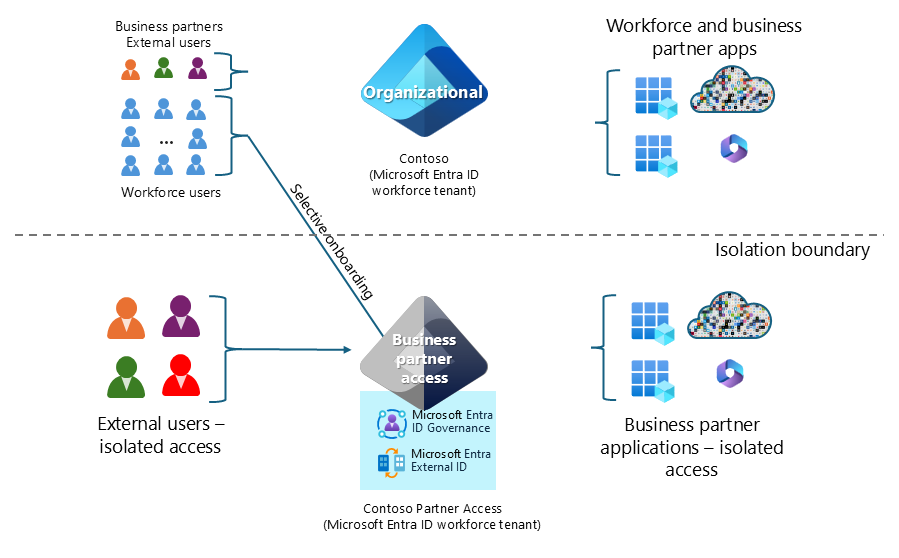
What Microsoft Entra ID Really Is (Beyond the Textbook Definition)
Officially, Entra ID is Microsoft’s cloud identity and access management service.
Practically?
It’s the gatekeeper for:
Microsoft 365
Azure
SaaS applications
Remote access
Admin privileges
If you’re using Microsoft 365, Entra ID is already working behind the scenes — whether you’ve configured it properly or not.
And that’s where most problems start.
Why Entra ID Matters Even More in 2026
Attack patterns have changed.
From what I’ve seen, attackers usually:
Don’t exploit servers first
Don’t brute-force firewalls
Don’t care about your fancy tools
They go after:
Weak passwords
Legacy authentication
MFA gaps
Poor Conditional Access policies
Most breaches today start with identity.
That’s why Entra ID configuration is no longer optional — it’s foundational.
Core Building Blocks (What Actually Matters in Real Environments)
1️⃣ Users & Groups – The Foundation Everyone Underestimates
This looks basic, but it’s where many tenants are already broken.
My approach:
No shared accounts
No direct user-based permissions
Groups for everything
If you assign access user-by-user, trust me — your tenant will become impossible to manage as it grows.
Groups = control, clarity, and scalability.
2️⃣ Authentication Methods – Passwords Are Not Enough
Entra ID supports multiple authentication methods, but not all of them are equal.
From experience:
Password-only accounts are a liability
MFA is mandatory — no exceptions
Passwordless is the direction Microsoft is pushing hard
What I recommend in 2026:
Microsoft Authenticator with number matching
FIDO2 security keys for admins
Temporary Access Pass for onboarding
SMS MFA still exists — but it should be a fallback, not your main defense.
3️⃣ Conditional Access – Where Security Actually Happens
Conditional Access is the most powerful (and most misconfigured) part of Entra ID.
This is where you decide:
Who can sign in
From where
On which devices
Under what risk level
Common policies I always start with:
Require MFA for all users
Stronger rules for admin roles
Block legacy authentication completely
Require compliant devices for sensitive apps
I’ve seen two extremes:
No Conditional Access → security risk
Over-engineered CA → user lockouts
The key is balance, not complexity.
Identity Protection – Smarter Access Decisions
Identity Protection adds intelligence to Entra ID.
It evaluates:
Sign-in risk
User risk
Impossible travel
Anonymous IP usage
Instead of hard blocking everything, you can:
Force MFA on risky sign-ins
Block high-risk users automatically
Reduce friction for low-risk activity
This is where identity becomes adaptive, not static.
Legacy Authentication – The Silent Threat I Always Disable
If there’s one thing I disable early, it’s legacy authentication.
Why?
Because:
It bypasses MFA
It’s heavily abused in attacks
You usually don’t even need it
If you’re still allowing legacy protocols, you’re leaving the door open — even if MFA is “enabled.”
My Practical Entra ID Best Practices (From the Field)
This is my personal checklist:
MFA for everyone
Separate admin accounts
Conditional Access for all critical apps
Passwordless where possible
Regular sign-in log reviews
Test policies before rolling them out
Entra ID is powerful — but only if you respect it.
Final Thoughts
Microsoft Entra ID isn’t just another admin portal.
It’s the control plane of your entire environment.
If it’s configured properly:
Users work securely
Admins sleep better
Attacks get blocked silently
If it’s ignored or misconfigured:
Everything else becomes irrelevant
I’ll say this clearly:
👉 Strong identity design beats reactive security every single time.
Published on itblogs.ca — practical identity, real-world security, no marketing noise.
Written by Jaspreet Singh
DevOps Engineer | Identity & Access Management | Cloud & Security