I still hear this all the time:
“We have MFA enabled, so we’re safe.”
I wish that were true. In real production environments, MFA fatigue attacks are among the easiest ways attackers still gain access—even in tenants that look “secure” on paper. (Token Theft Attacks & MFA Defeat: 2025 State of Infosec Incident Stories, 2025)
I’ve seen this happen more than once, and what’s alarming is how little effort it takes for the attacker. Let me explain how MFA fatigue attacks really work, step by step, in plain language.
What MFA Fatigue Really Is MFA fatigue doesn’t break MFA itself. Instead, it exploits how people behave. Attackers don’t need zero-days, malware, or advanced tools. They just need:
- A valid username
- A password (phished, leaked, or reused)
- Push-based MFA enabled
After that, the attackers rely on people to do the rest.
Step-by-Step: How the Attack Actually Happens
Step 1: Credentials Are Already Compromised
This usually happens before the MFA attack:
- Phishing email
- Password reuse from another breach
- Legacy authentication exposure
- Basic brute-force on weak passwords
At this point, MFA is the only barrier left.
Step 2: The Attacker Triggers MFA Pushes Repeatedly
The attacker attempts to sign in over and over:
- Azure portal
- Outlook Web
- VPN
- Third-party apps tied to Entra ID
Each attempt sends an MFA push. Your phone starts lighting up:
“Approve sign-in?” The prompt appears again and again, sometimes dozens of times within minutes. (Microsoft Digital Defense Report 2023, n.d.)
Step 3: The Human Mistake
This is the point where the attack works. People eventually:
- Tap Approve just to stop the notifications
- Assume it’s a system glitch
- Think, “maybe it’s my laptop retrying.”
- Click yes while distracted, tired, or busy
I’ve seen approvals happen:
- During meetings
- Late at night
- Early morning
- While driving
- While half-asleep
MFA did its job, but people made mistakes.
Step 4: Attacker Gets Full Access
Once approved:
- Session tokens are issued
- MFA is satisfied
- The attacker is now legitimately authenticated
After this, things can escalate quickly:
- Inbox rules created
- MFA methods changed
- Conditional Access exclusions are abused
- Password reset
- Lateral movement
- Data exfiltration
All of this can happen because of a single tap.
Why This Still Happens in 2026
Because many tenants still rely on:
- Push-only MFA
- No number matching
- No sign-in frequency limits
- Weak user education
- No alerting on repeated MFA failures
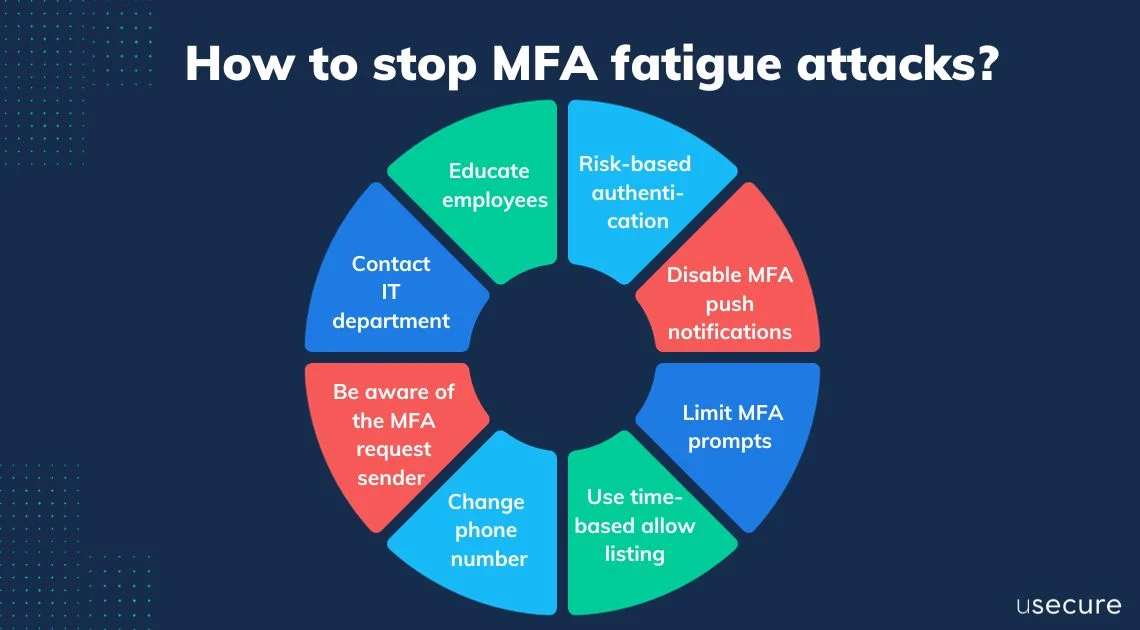
The Controls I Always Check First
In every tenant I touch, I look at these immediately:
- MFA Number Matching (Non-Negotiable)
If users have to enter a number, fatigue attacks usually stop right away. Limit MFA Prompts
Too many prompts teach users to just click yes.
- Sign-in frequency
- Session lifetime
- Device trust
- Block Legacy Authentication
Using legacy authentication with MFA fatigue creates a guaranteed path for a breach. (Microsoft Security Intelligence Report: Identity and Authentication, n.d.) - Monitor MFA Push Patterns
If there are several push denials or approvals in a short time, that should trigger an alert. User Training (Practical, Not Just Slides)
Users should know:
- If you didn’t initiate login → deny
- If you get repeated prompts, treat it as an incident.
- Report immediately
My Rule of Thumb
If your MFA strategy relies on:
“Users will always click the right button”
You don’t have a security strategy; you’re just hoping for the best.
And hope is not a control.
Final Thought
MFA fatigue attacks aren’t sophisticated. They’re predictable. And that’s what makes them dangerous. If you enable MFA but ignore how it’s enforced, you’re only adding friction, not real security. I’ll keep writing about what actually breaks in real environments, not what looks good in compliance checklists. If this helps even one admin tighten their tenant before an incident, it’s worth it.---
**References**
Exabeam. (n.d.). How MFA Fatigue Works. https://www.exabeam.com/explainers/insider-threats/how-mfa-fatigue-attacks-work-6-ways-to-defend-against-them/
— Jaspreet Singh
Author @ ITBlogs.ca
Identity & Cloud Security (Hands-on, not theoretical)